The Teams Invite That Wants a Phone Call
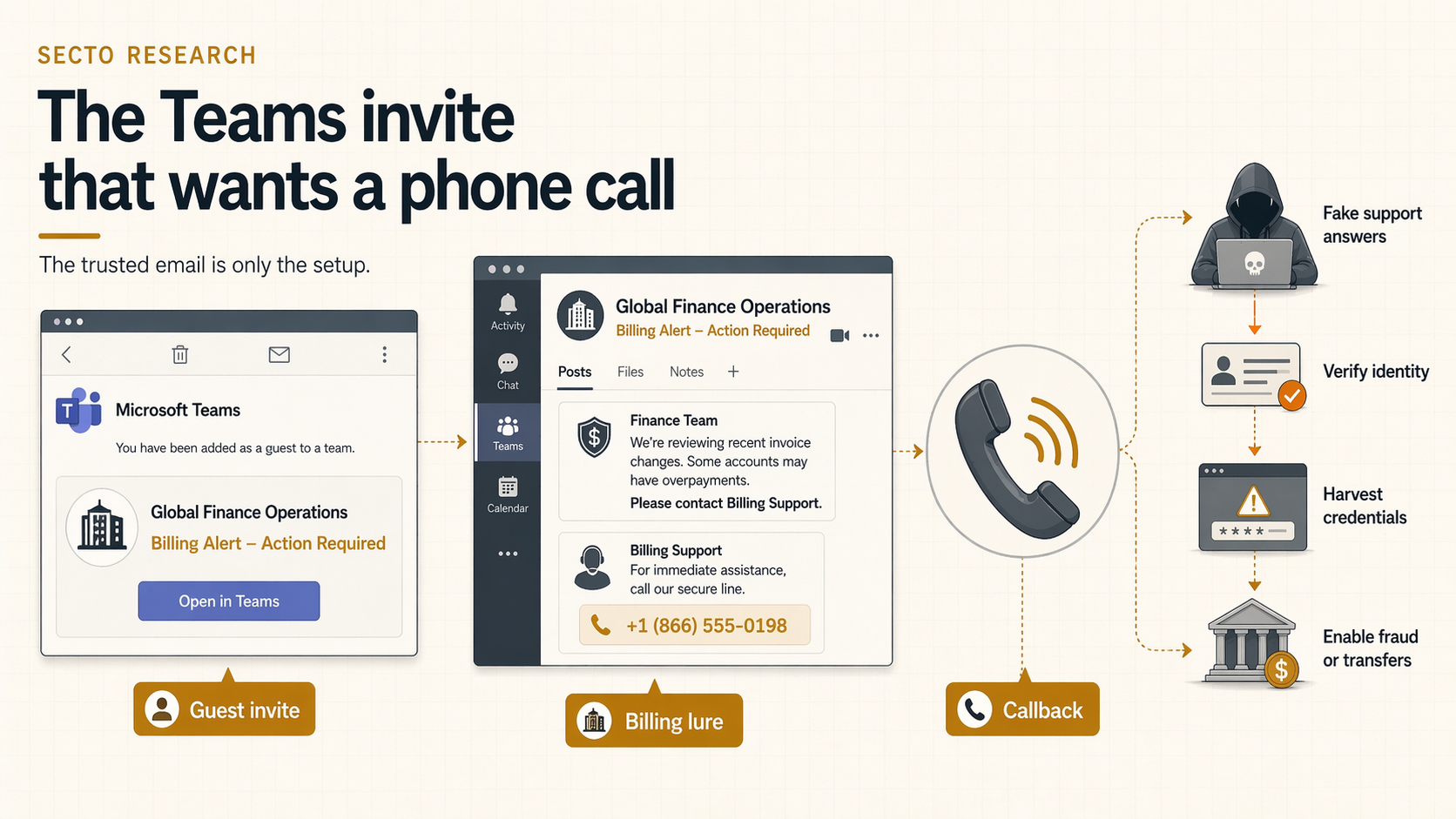
A January 2026 campaign abused Microsoft Teams guest invitations to send official-looking billing alerts from legitimate Microsoft infrastructure. The lure did not ask for a click. It asked the victim to call.
Many phishing campaigns still depend on a user clicking a link.
This campaign used a different route. Public January 22, 2026 reporting described attackers creating Microsoft Teams groups with finance-themed names that looked like billing alarms, then using guest invitations to let Microsoft's own notification system deliver the lure. The email looked official because, in a narrow technical sense, it was official. The source report says the campaign involved 12,866 phishing messages and 6,135 affected customers campaign report.
But the attacker was not trying to win a click. The attacker wanted a phone call.
How The Team Name Carries The Lure
The invitation email itself is not especially unusual. The attacker places the lure in the team name. The observed names were written to look like urgent subscription or payment notices, complete with invoice language, amounts, and support instructions. Character swaps and visually similar glyphs helped the text stay readable to humans while becoming less obvious to automated filters.
It is a clever inversion of the normal phishing pattern. Instead of hiding the lure in a PDF or a web page, the lure is embedded in a collaboration object that a trusted service is happy to render and deliver.
Why Callback Operators Gain Flexibility
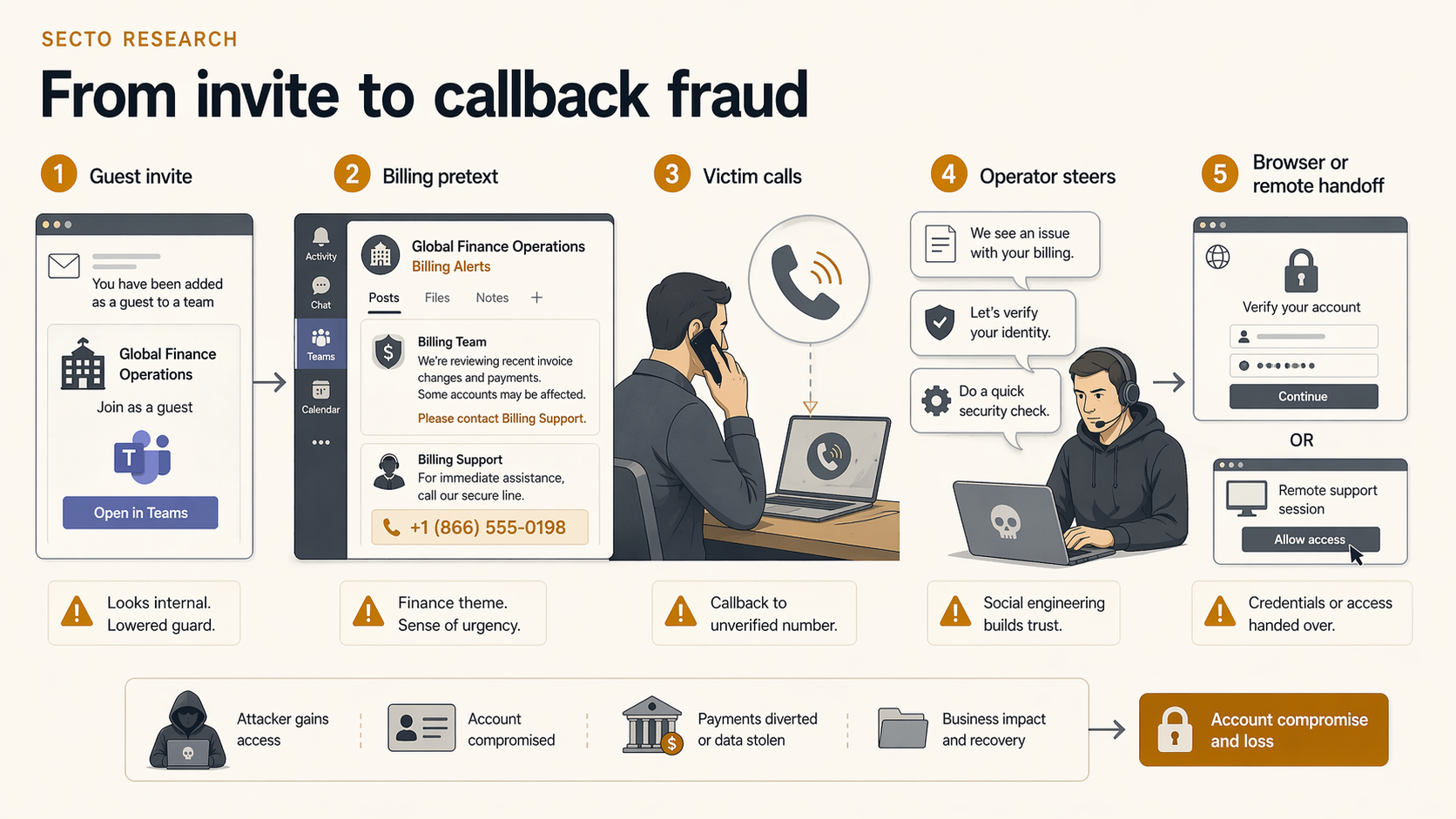
Callback phishing often works because it moves the victim out of the inbox and into a live social engineering session. Once the user calls, the operator can adapt in real time. They can sound helpful, urgent, procedural, and specific. They can also decide whether to push the victim toward credentials, remote-access tools, payment details, or some combination of the three.
That flexibility is a meaningful advantage for the attacker. A malicious link is static. A human operator can adjust the script as the conversation develops.
Why Traditional Link Checks Miss It
This is what makes the Teams campaign more relevant than a standard invite scam. There may be no suspicious URL to score, no attachment to detonate, and no spoofed sender to distrust. The invitation comes from a recognized service. The user sees a collaboration workflow they already accept in daily work.
By the time the attacker introduces a browser step, a support portal, or a remote session, the victim has already crossed the trust boundary. The email did not need to deliver malware. It only needed to start a conversation.
What Security Teams Should Actually Do
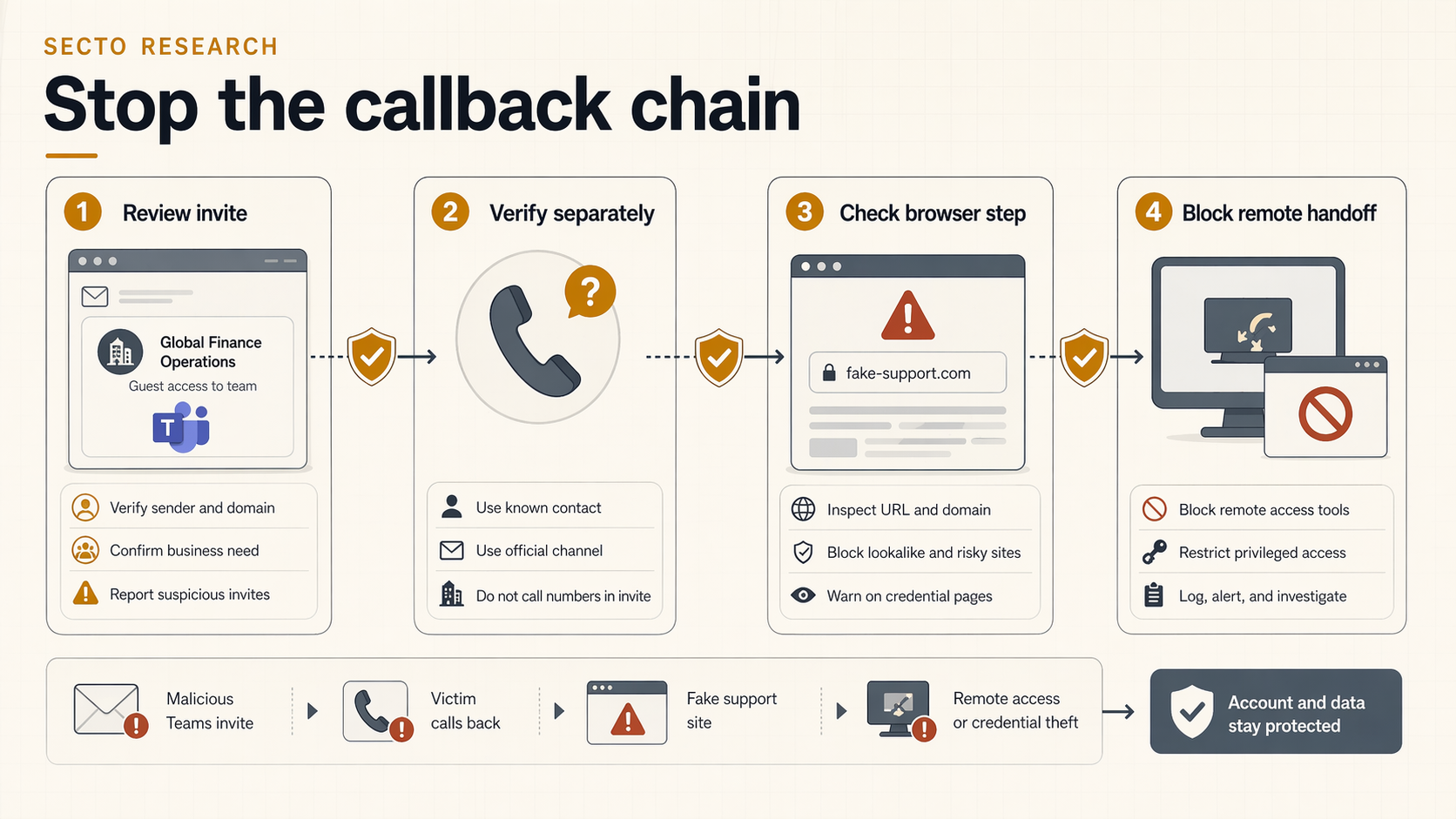
- Treat unexpected collaboration invitations like any other phishing surface, especially if the visible name contains pricing, invoices, phone numbers, or payment urgency.
- Give users a simple rule for callback scams: do not call numbers supplied by an unsolicited billing or support message, even if the message comes from a trusted platform.
- Monitor for suspicious external tenant interactions and sudden guest-invite patterns that do not match established business relationships.
- Plan for the second stage. If the victim calls, the attack often ends in a browser page, a login prompt, or a remote tool installation.
Where Secto Fits In The Chain
It is important to be precise about the control boundary here. Secto does not prevent a user from calling a phone number in an unsolicited message.
What Secto does help with is the closing stage of the scam. Callback operators often push the victim into a browser journey that includes fake support pages, cloned sign-in flows, download prompts, or remote-management handoffs. That is where browser-native inspection becomes useful.
The Teams invite starts the interaction. The browser is where the operator often tries to complete the scam. That is the stage where Secto is positioned to add visibility.